This is a LCD screen, not a console! If you don't have a motherboard, you can't assemble it into a console.
Glass lens with logo
Installation tutorial:https://www.bilibili.com/video/BV1LT4y1D7CS?share_source=copy_web
The video is in Chinese. You can refer to the installation operation.
High brightness display, twice as bright as the old model. The display color is brighter.
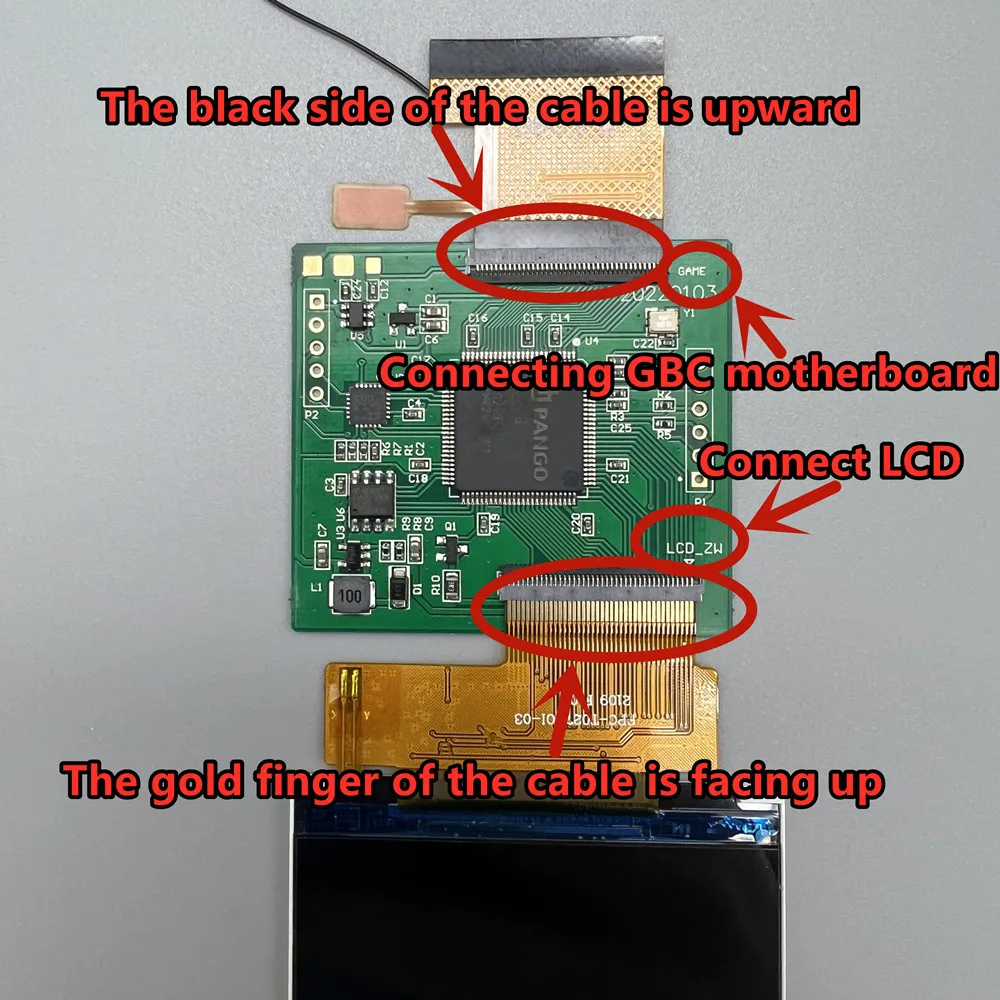
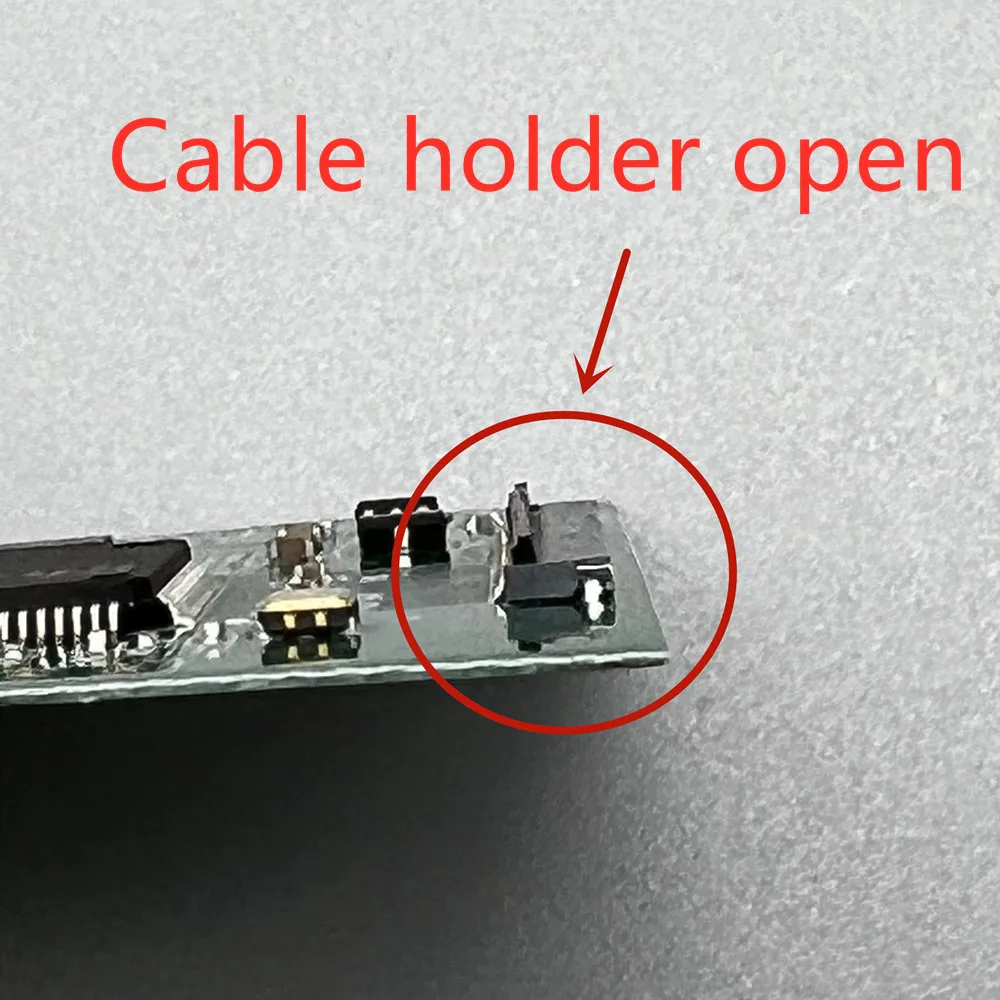
Please be careful when connecting the flat cable. If the flat cable is inserted reversely, it may burn out the fuse of GBC motherboard!!!
Fuse purchase link
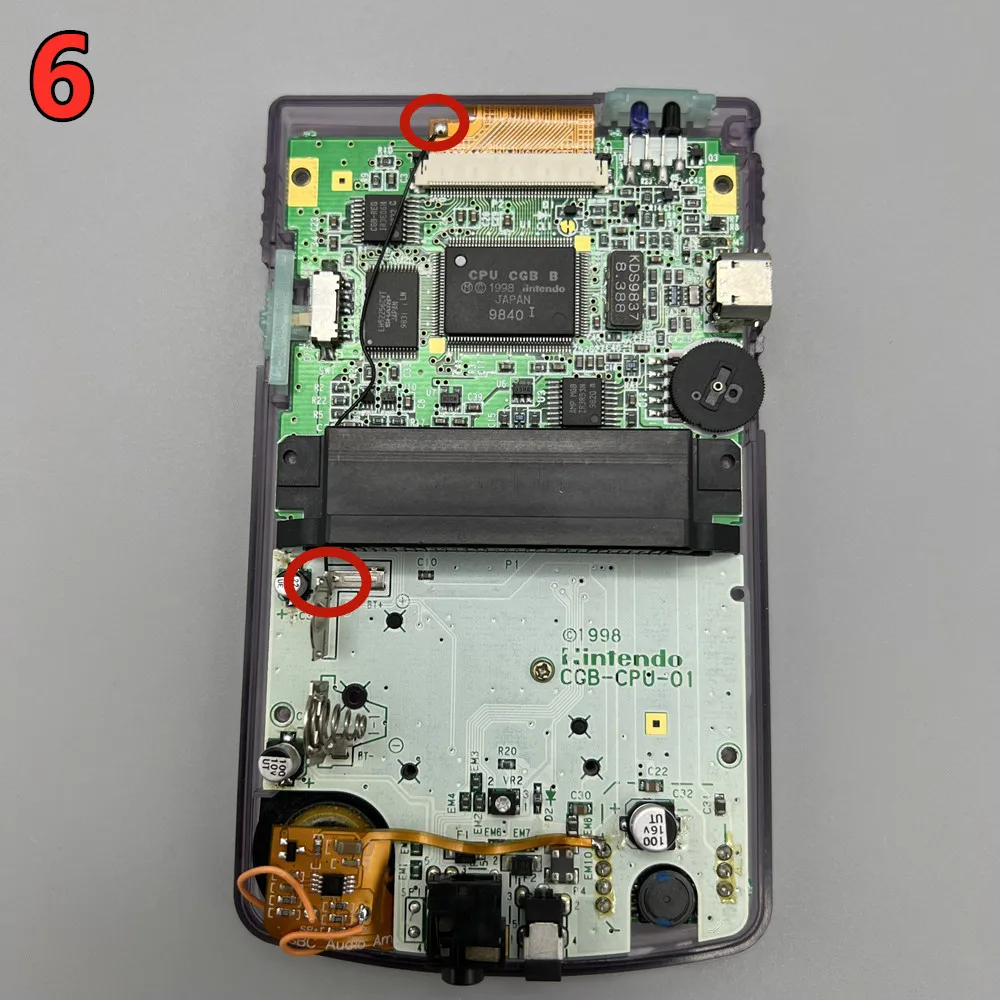
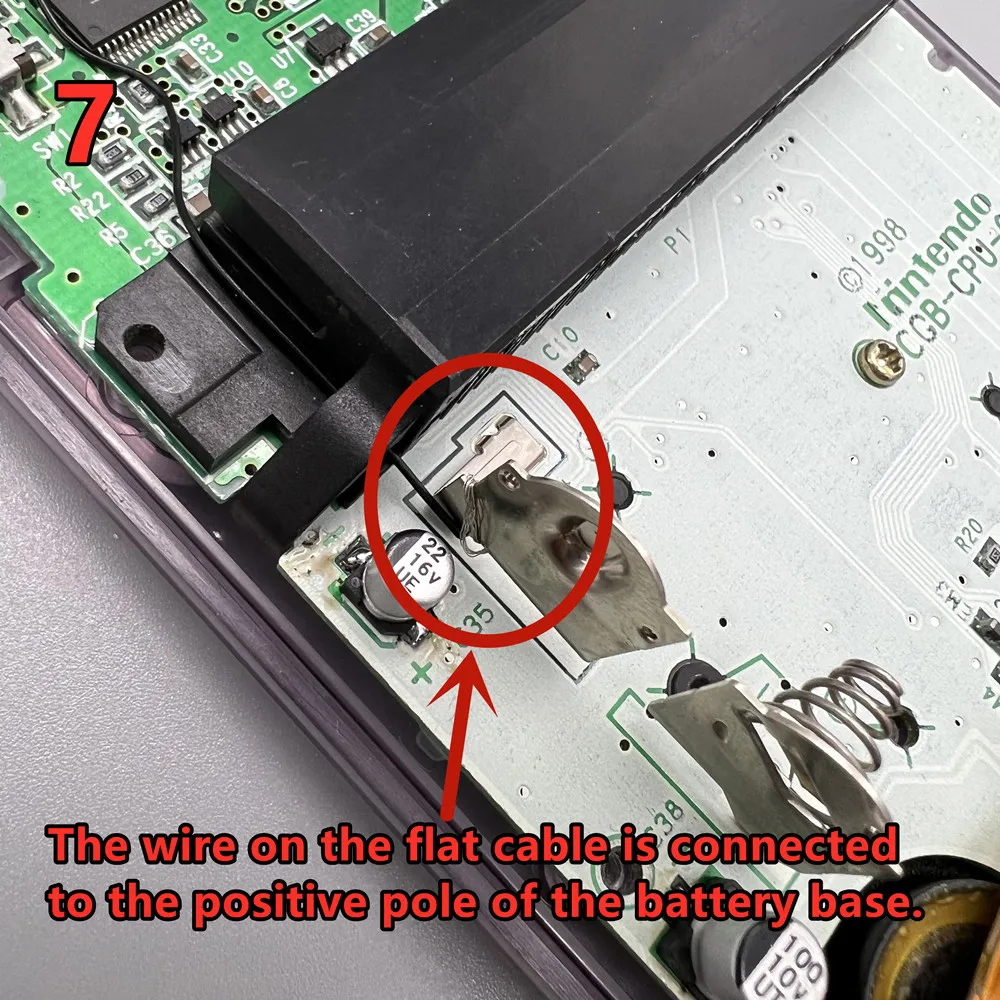
 Use a ribbon cable with wires to connect to the battery holder. It can significantly reduce power consumption and the speaker will not produce noise.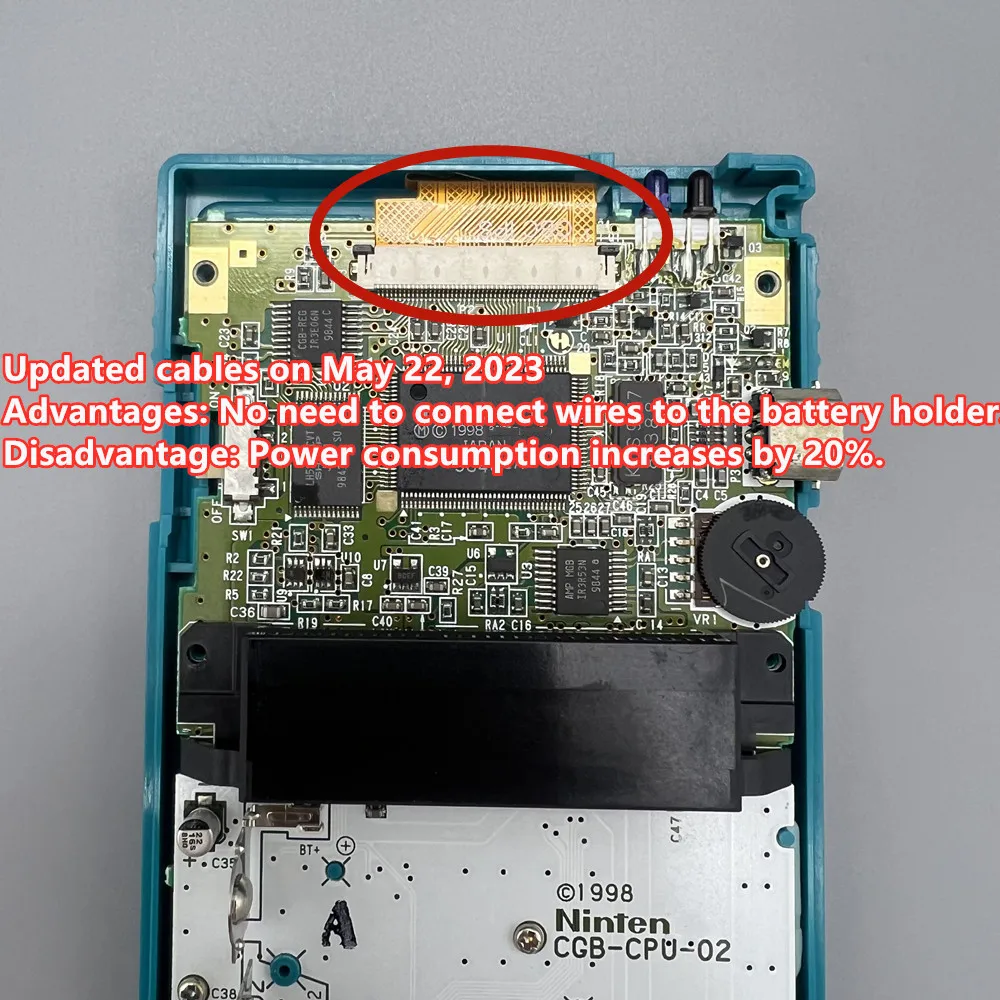
The black lens is actually dark gray. Close to the original Nintendo color. Because we used to call it black. And the color is very close to black. There is color difference in taking photos. It looks like black.
Please carefully read the following precautions and installation methods before installation. The installation steps are really very simple. All you have to ask are below.
Install self provided tools: Y-shaped 3.0 screwdriver, cross 3.0 screwdriver, sharp art knife and top cutting pliers.
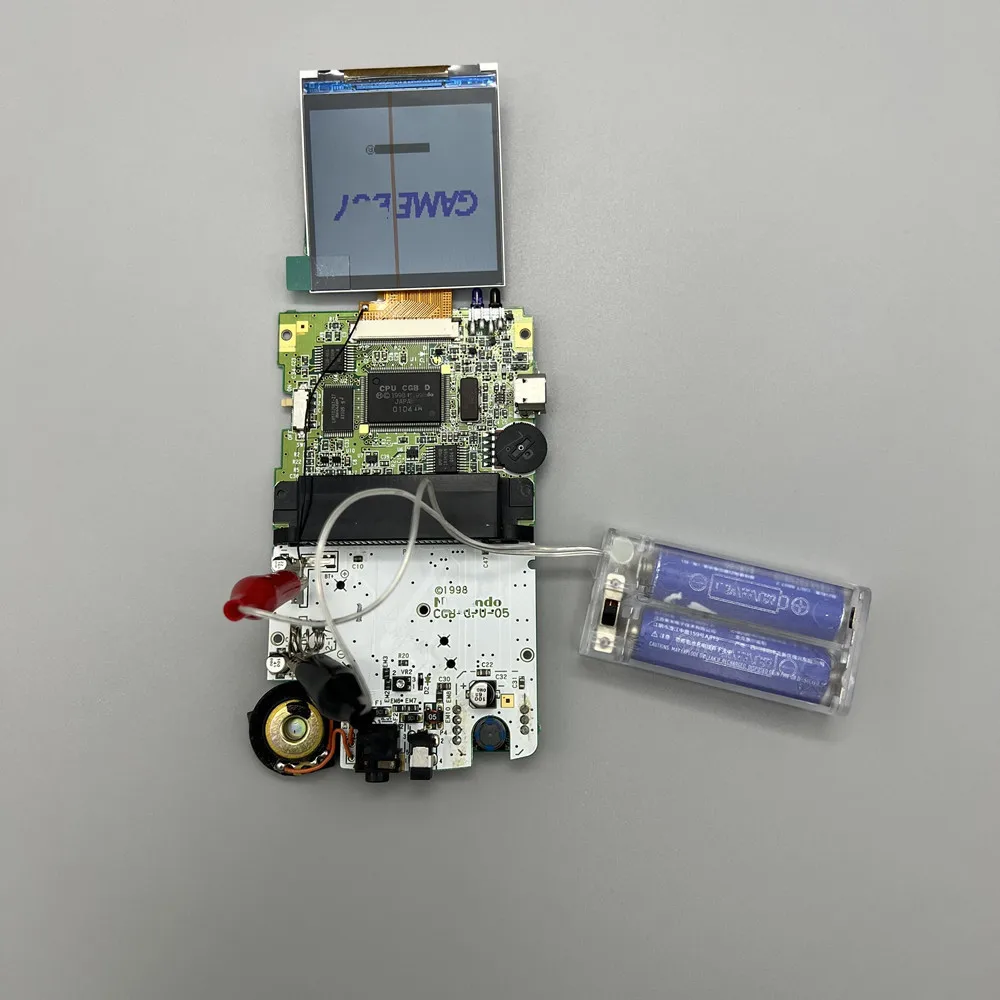
The LCD screen was carefully tested before delivery. Before installation, please turn on the GBC motherboard as follows to check whether it is normal.
Product features:
The 1.2.6-inch IPS LCD is larger than the original 2.45-inch LCD. a small amount of shell cutting, simple installation.
2. Support point-to-point display. Support black and white style display. High brightness display. Long press the touch sensing cable for 3 seconds to switch the display style. Briefly press to adjust the brightness.
3. Low power consumption, with millet 1800 Ma rechargeable battery, the highest brightness of the screen, edgb burning card, and normal game time of about 5 hours
4. Support brightness adjustment memory and display style memory, and there is no need to reset when starting up.
The following is the installation tutorial. The installation process is mainly shell cutting. The installation of LCD screen is very simple.
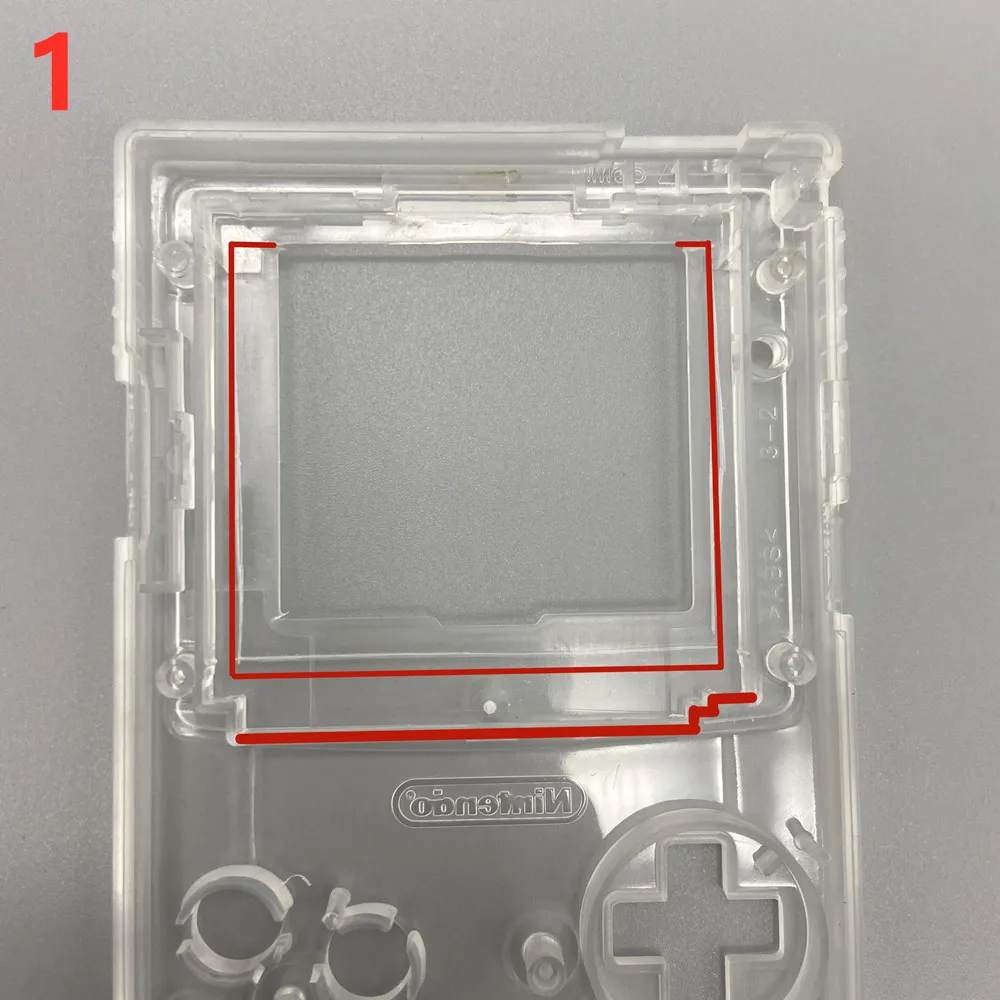
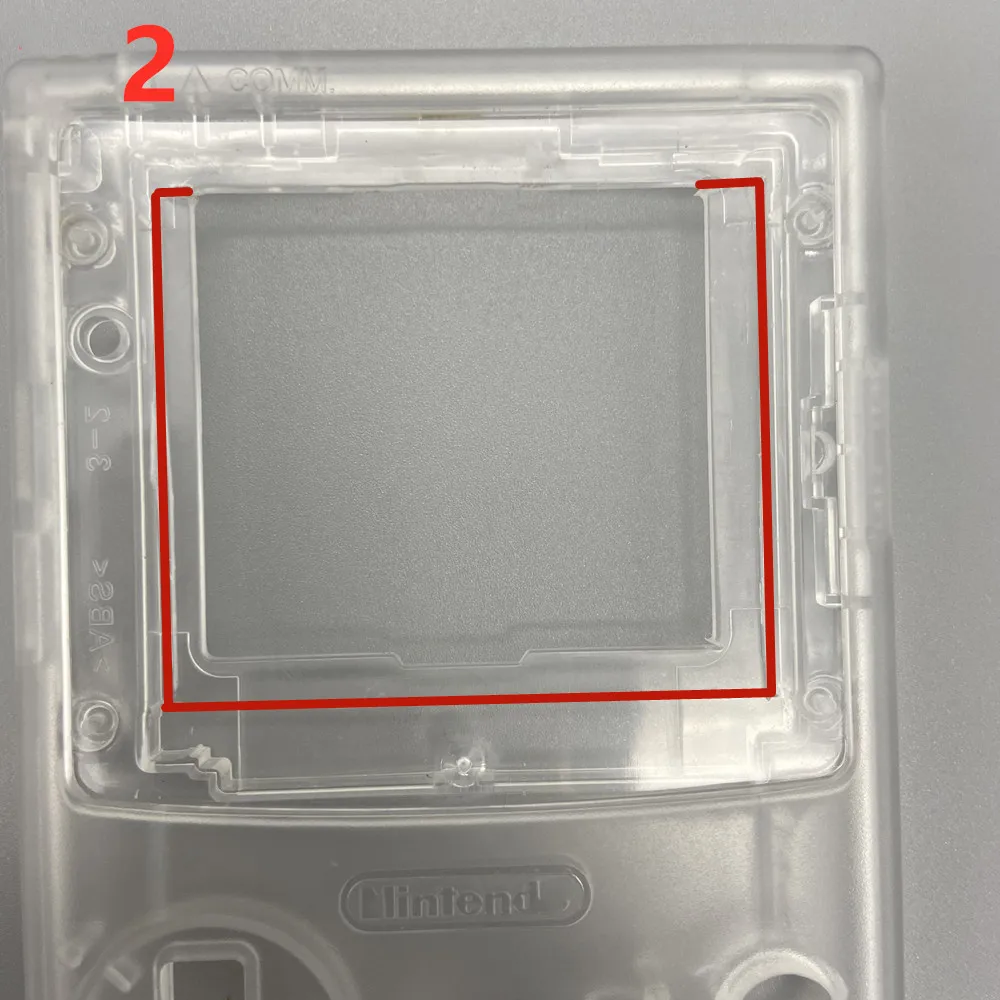
Peel off the red area shell. If you are a 2.6-inch IPS GBC shell, you can skip the shell cutting tutorial.
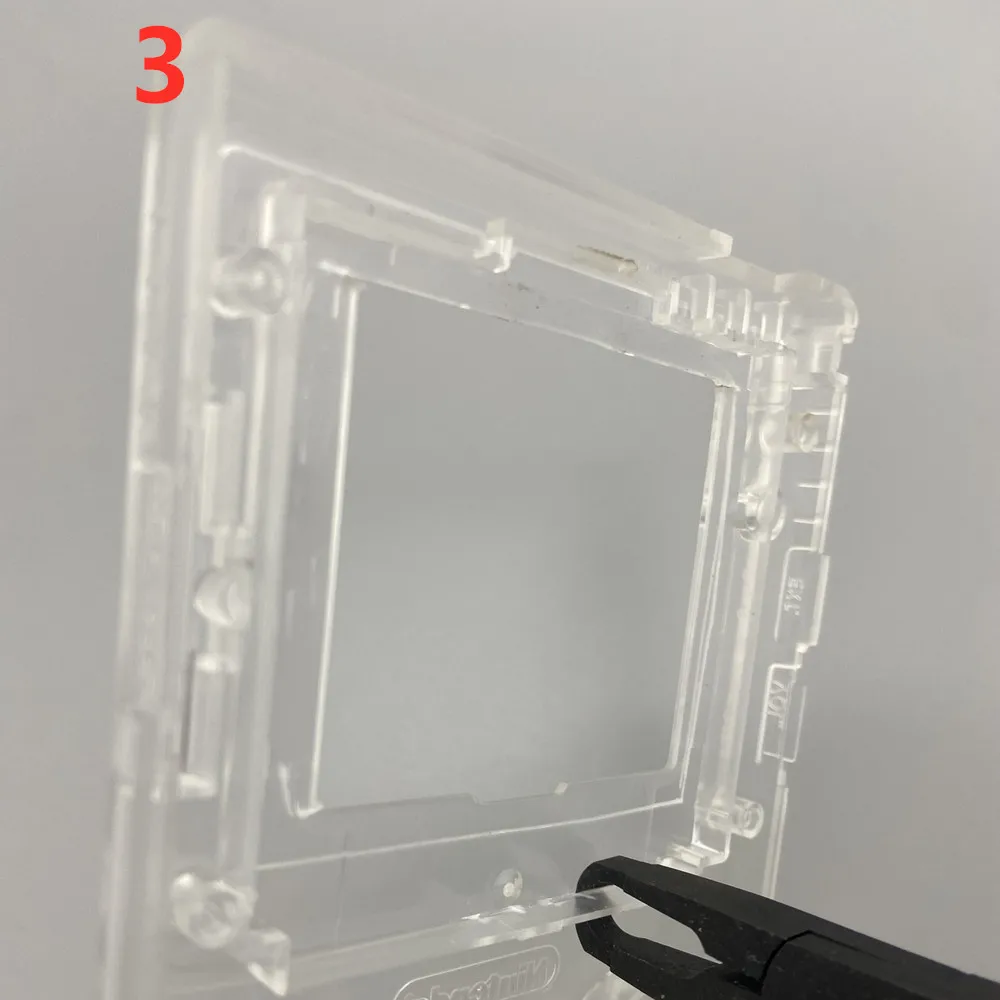
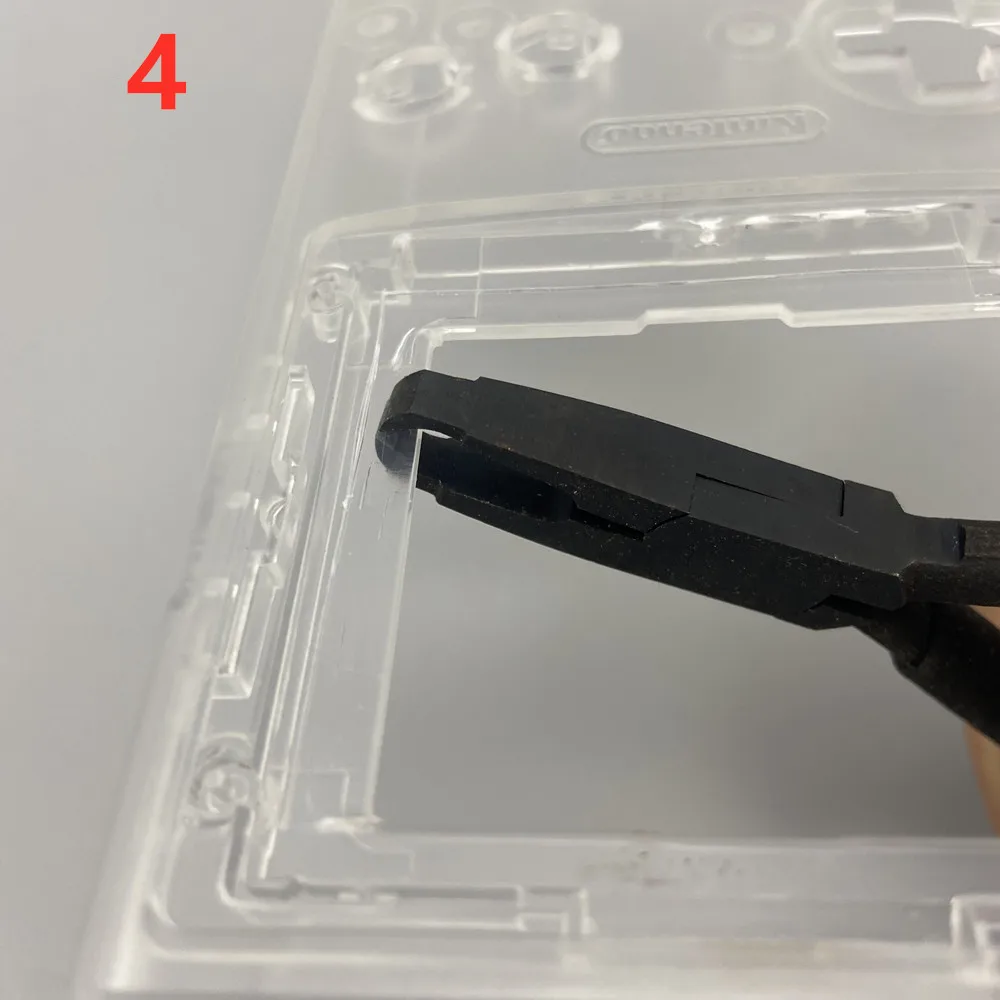
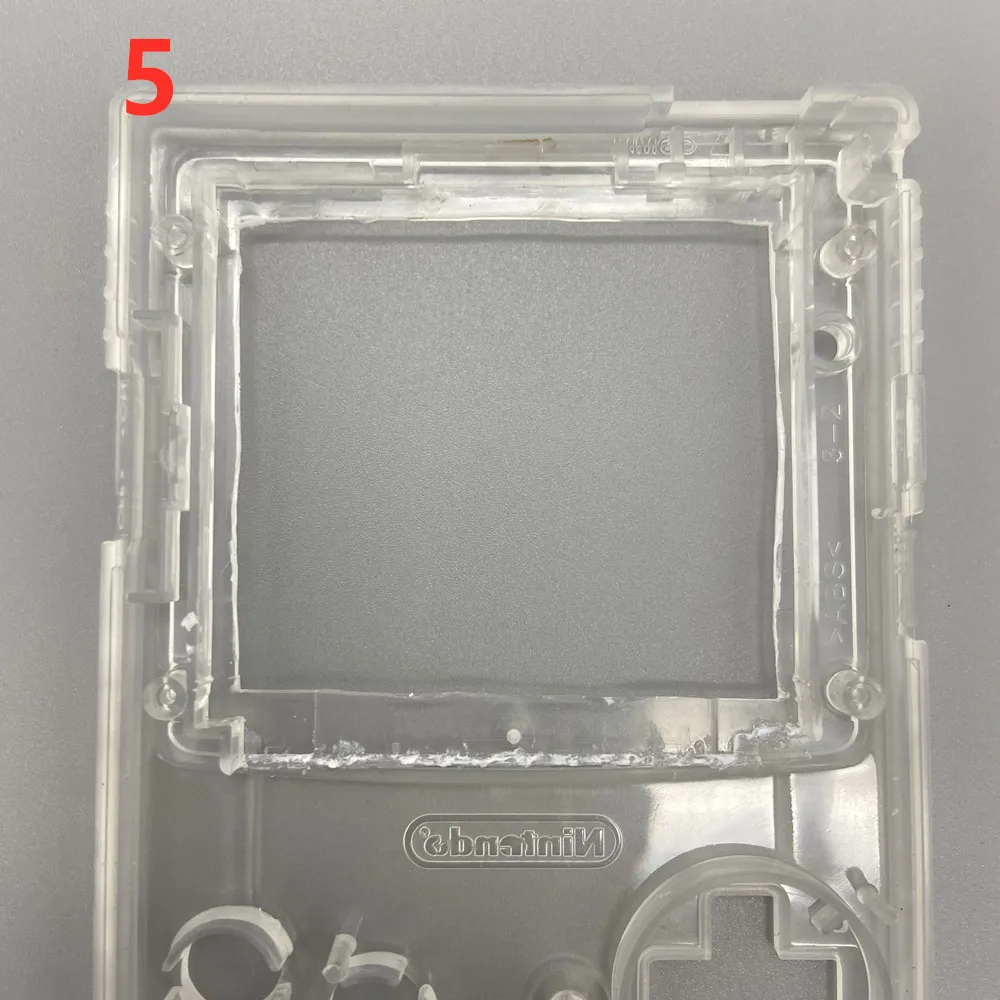
Use the art knife to cut the shell to a deeper depth, and then use the top cutting pliers to cut off the shell.
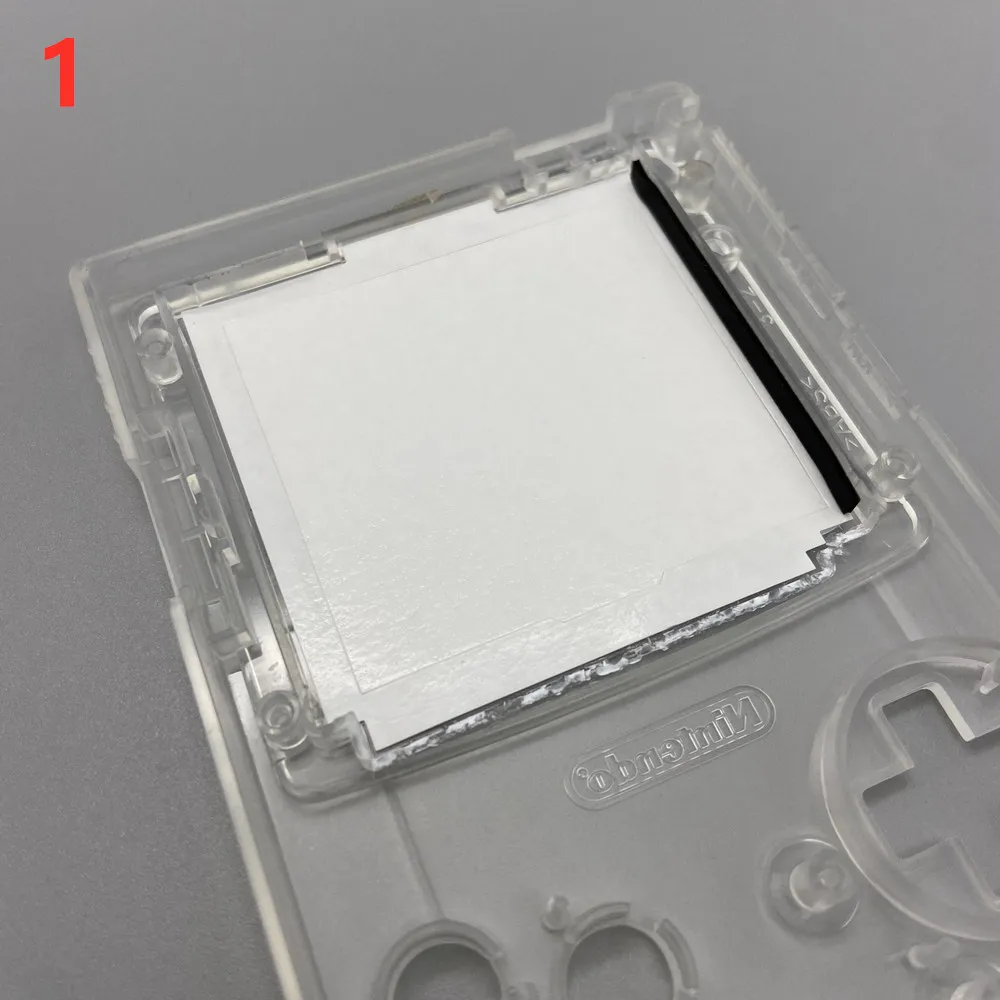
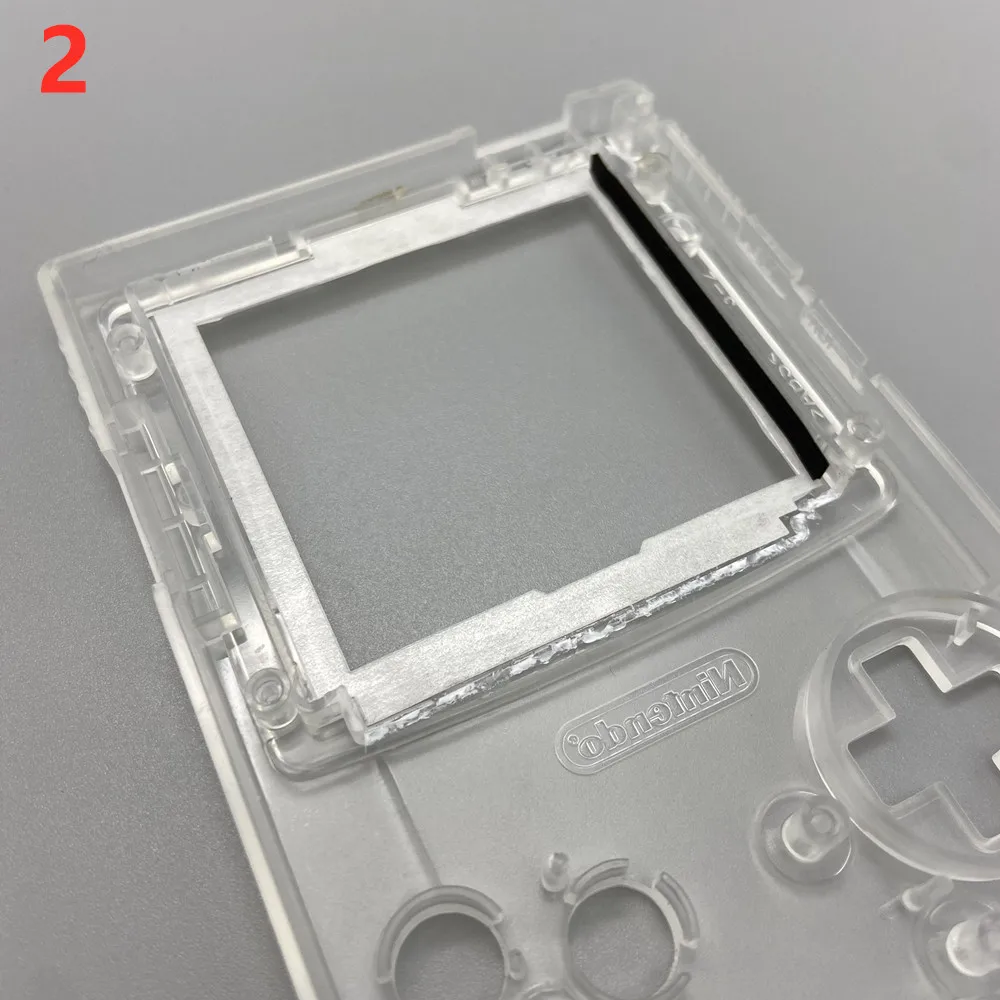
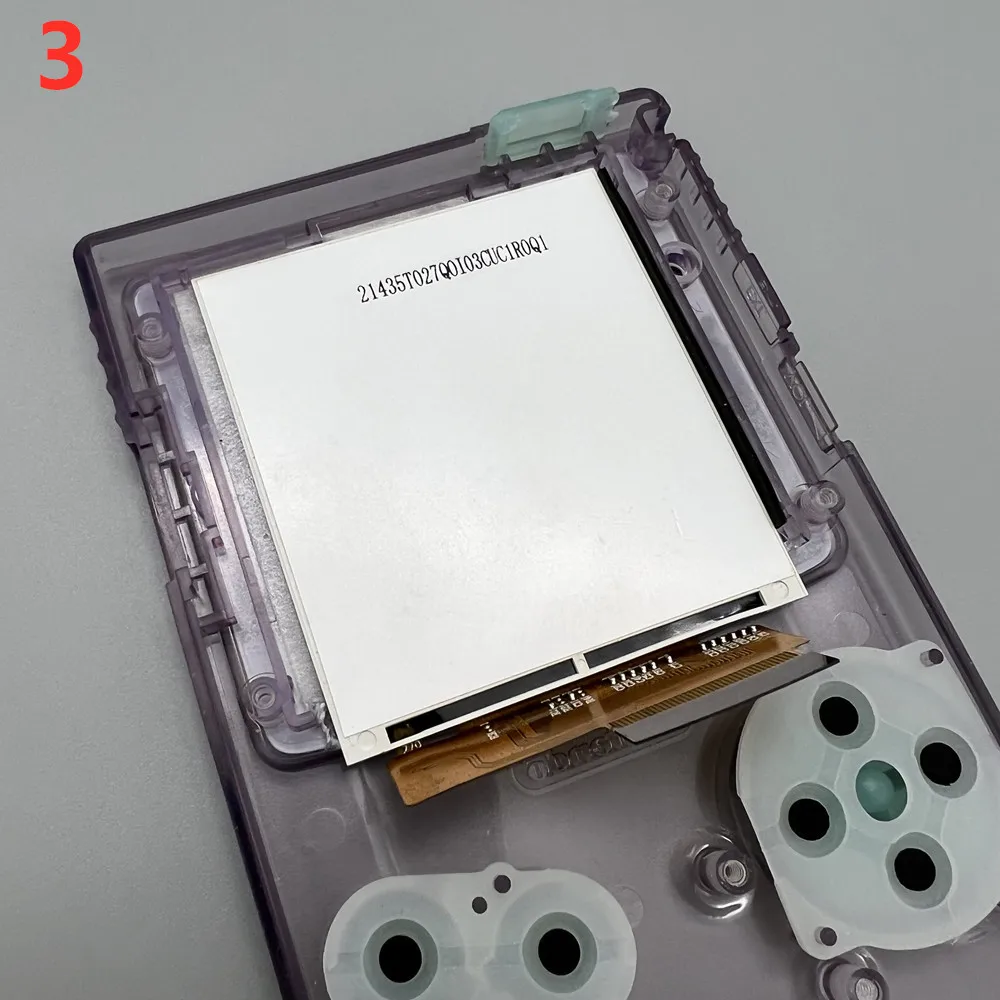
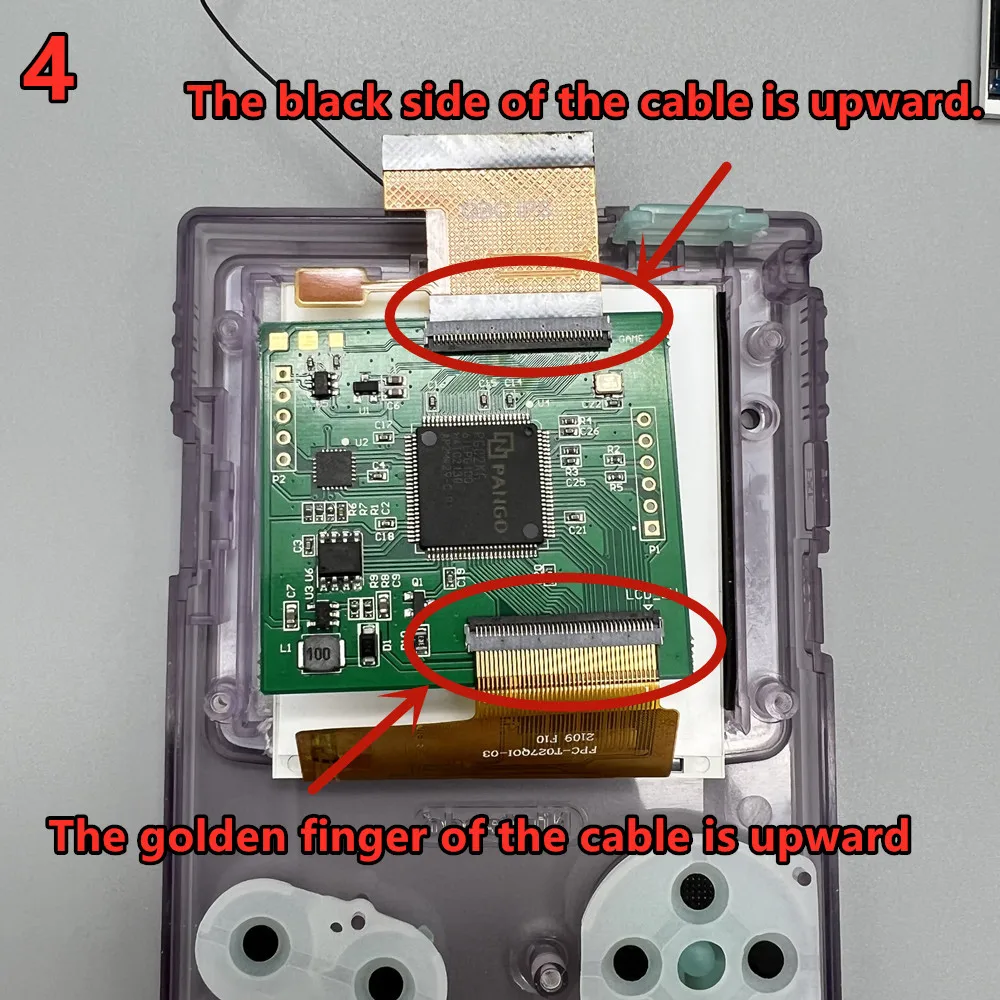
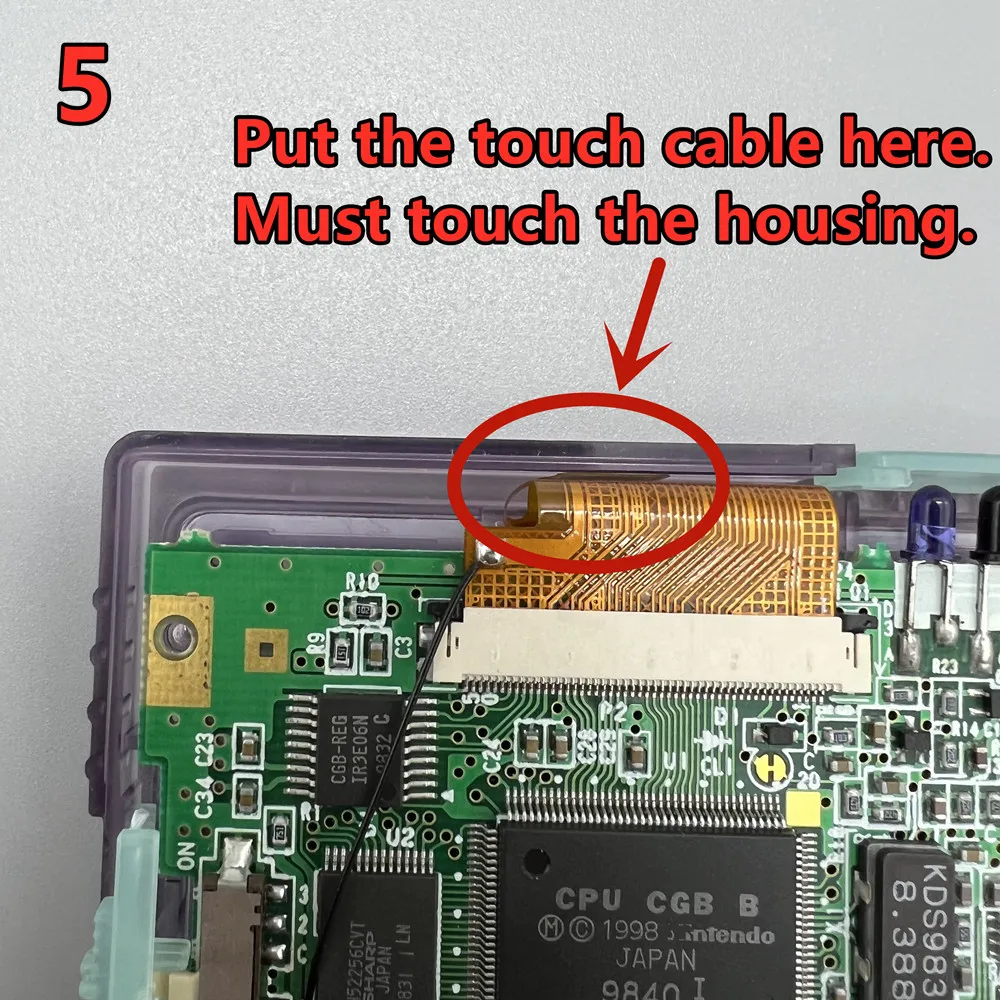
Touch the cable. The side that must be covered with film is in contact with the shell. Gold faces inward.
Otherwise, there may be accidental touches.