SPECIFICATIONS
Battery Included: no
Brand Name: ATORCH
Certification: CE
DIY Supplies: Electrical
High-concerned chemical: none
Measuring power: 0-150W
Model Number: DL24-PCB
Origin: Mainland China
Power Source: DC
Semi-finishedproduct: Yes
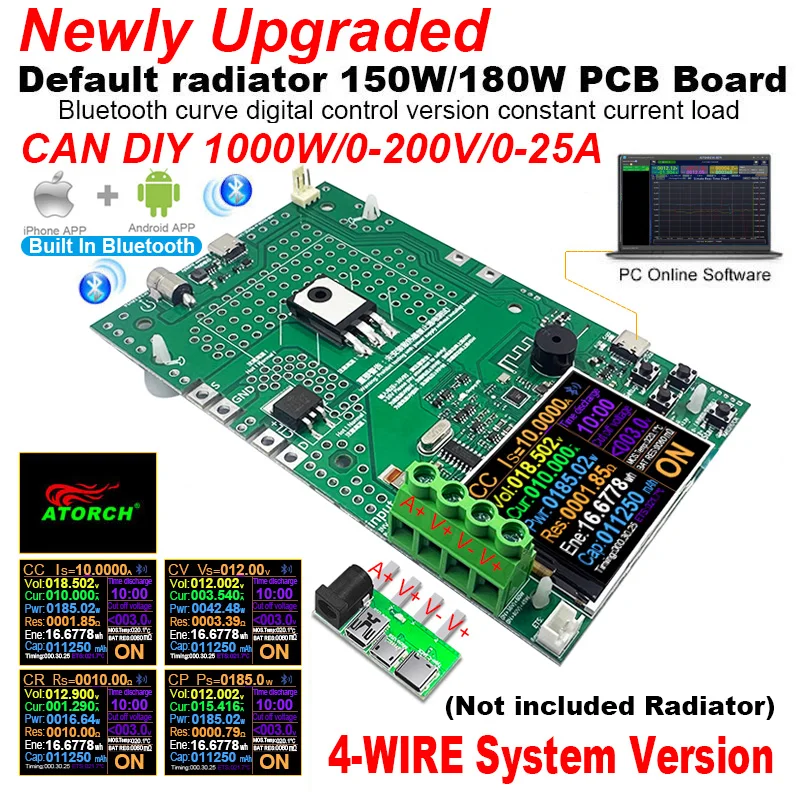
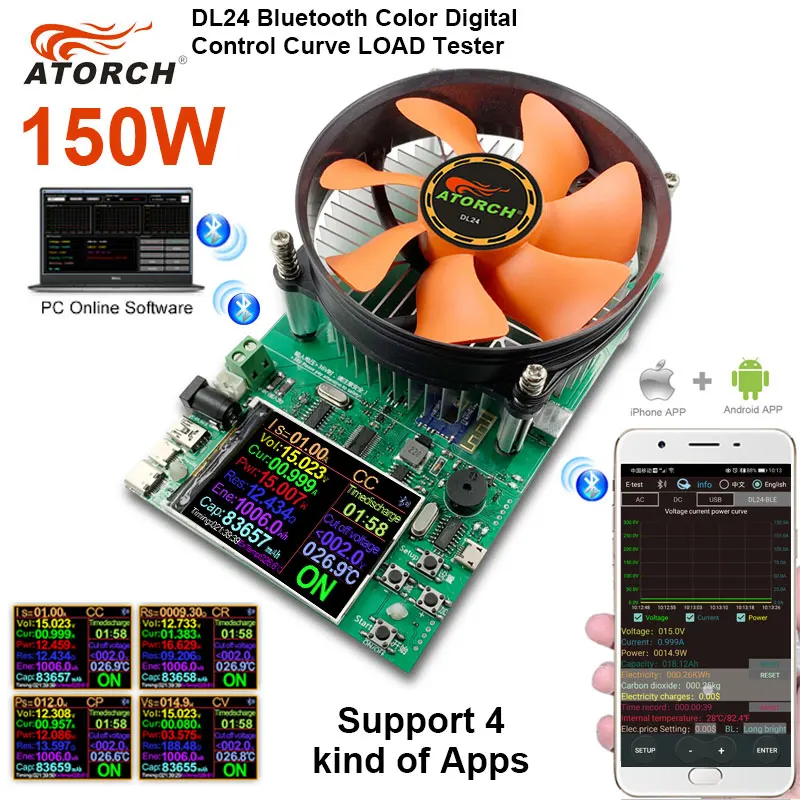
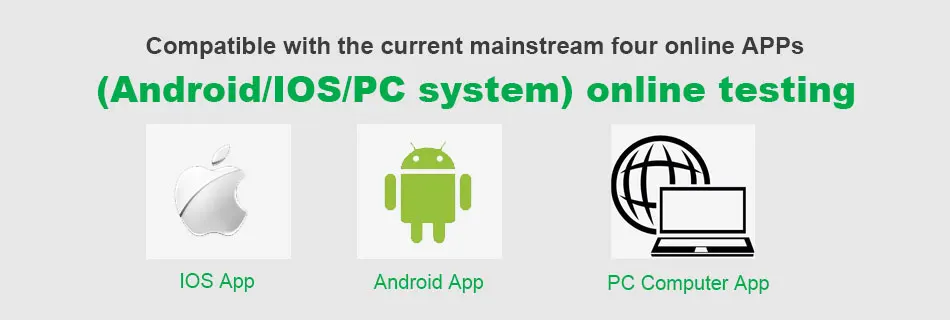
Support Bluetooth APP: Apple IOS & Android & PC Computer
Support bidirectional current: yes
Support full power cut off: yes
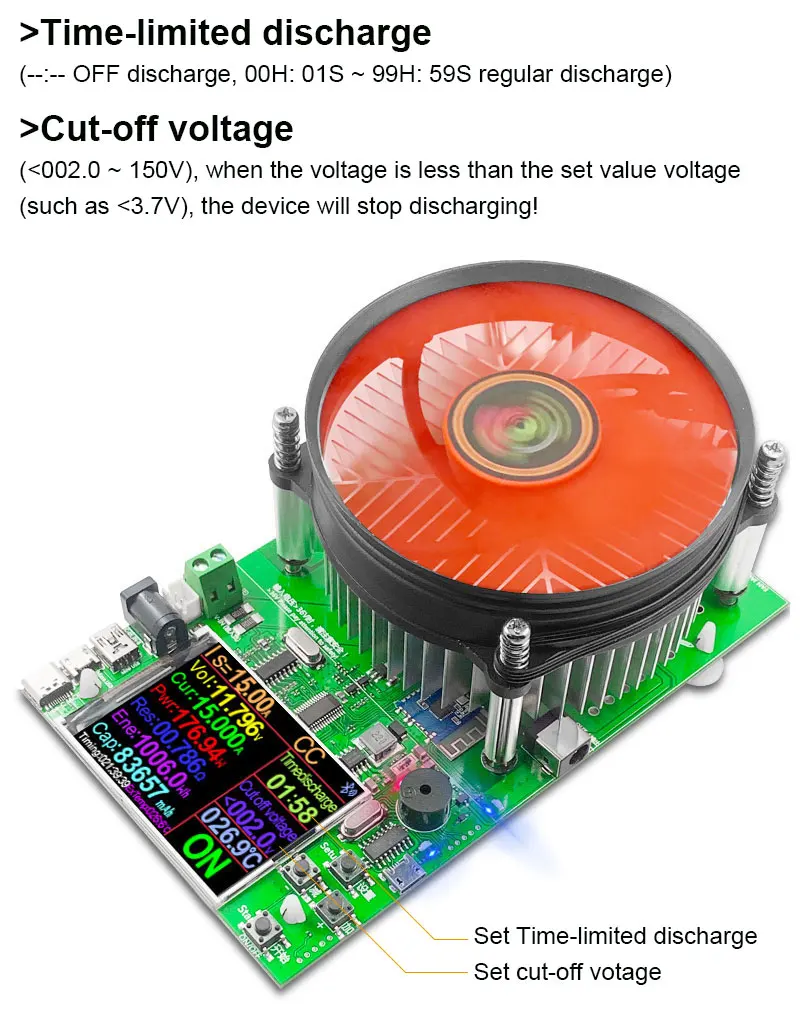
Timed charging: 00H:01S-99H:59S setting
Type: Electronic Device Battery Tester
Warm Tips
In view of the fact that some users cannot modify get 1000W used this PCB board at present, it is recommended that non-technical professionals do not modify 1000W , Our software opens the technical parameters of 1000W, the discharge tube is not a simple increase, it requires strong technical ability and modification ability, please refer to the relevant information, handle the details of the hardware, non-technical professionals, do not buy, to avoid occurrence Misunderstanding,
the default 150W and 180W, which can generally meet your daily needs!
thanks!
User manual and APP download
1.http://www.mediafire.com/folder/mqnr9m3svln7v/DL24-PCB
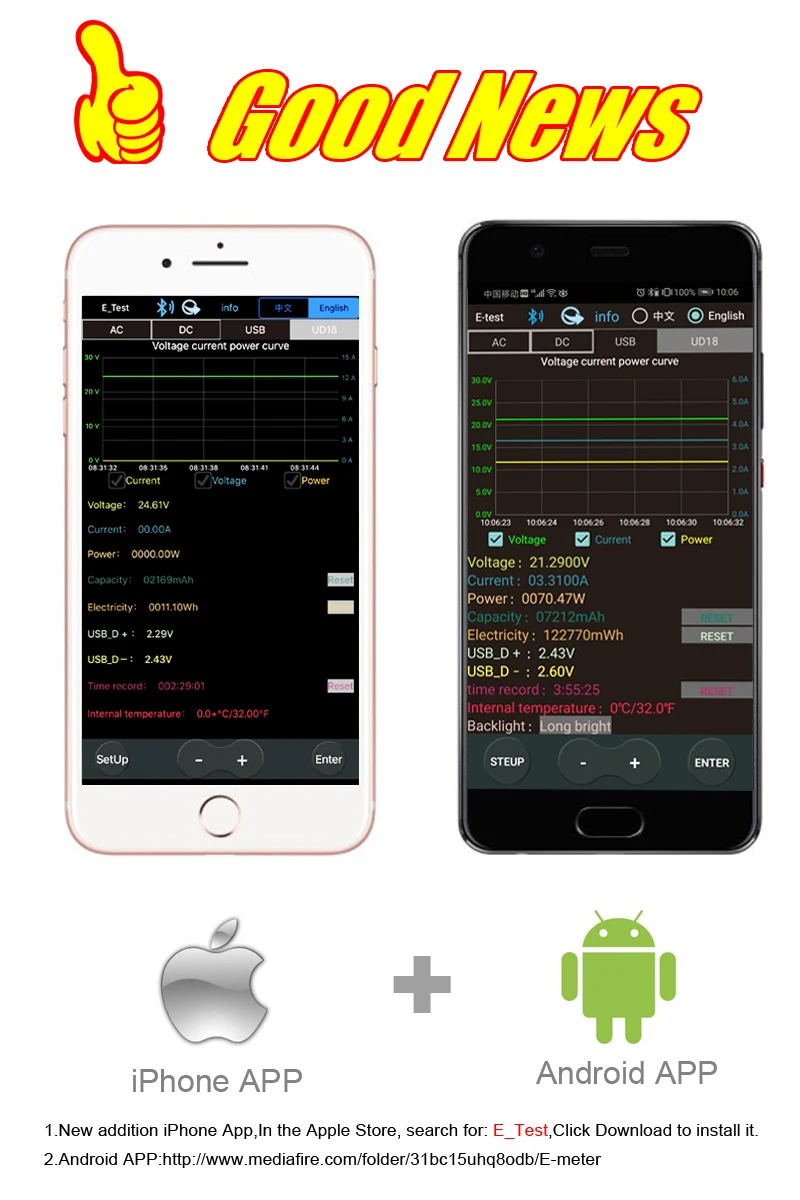
2. IOS APP: search E_test on iphone APP store to download
3. Android APP: https://www.mediafire.com/file/0jiio43c0vuu1wx/U_Meter-Phone_mobile.apk/file
4. Android APP: search E-test at Google play to down load
5.http://en.atorch.cn/upload/file/20241217/6387004514765584411262215.zip

Product parameters
Electrical parameters
Test voltage:2~200V
Working current:0.2~25A
Installing a weaker fan Discharge power: voltage * current < 150 W
Install a strong fan Discharge power: voltage * current < 180 W
(The actual running current is limited by the maximum power, please adjust the current according to the law of energy conservation)
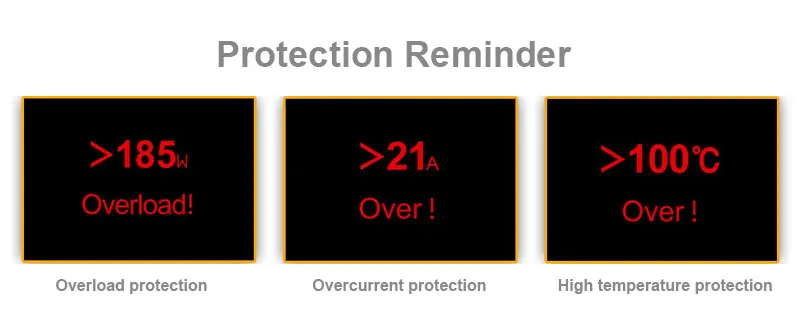
The built-in over-current, over-temperature, over-power safety protection functions, if the protection interface is popped up, please pay attention to the parameter adjustment, shall adjust to the maximum power, and then discharge, you can first slowly and smoothly adjust the preset value in the start and discharge, in order to adjust up to the maximum power for discharging
!!!Product protection threshold limit!!!
Load power-W:U×I≤150W(max)
Power testing range, to avoid product damage!
1. Voltage < 36V, maximum testable power of 150W
2. Voltage>36V,<80V, maximum testable power of 60W
3. Voltage>80V,<200V, maximum testable power of 45W
Attention:
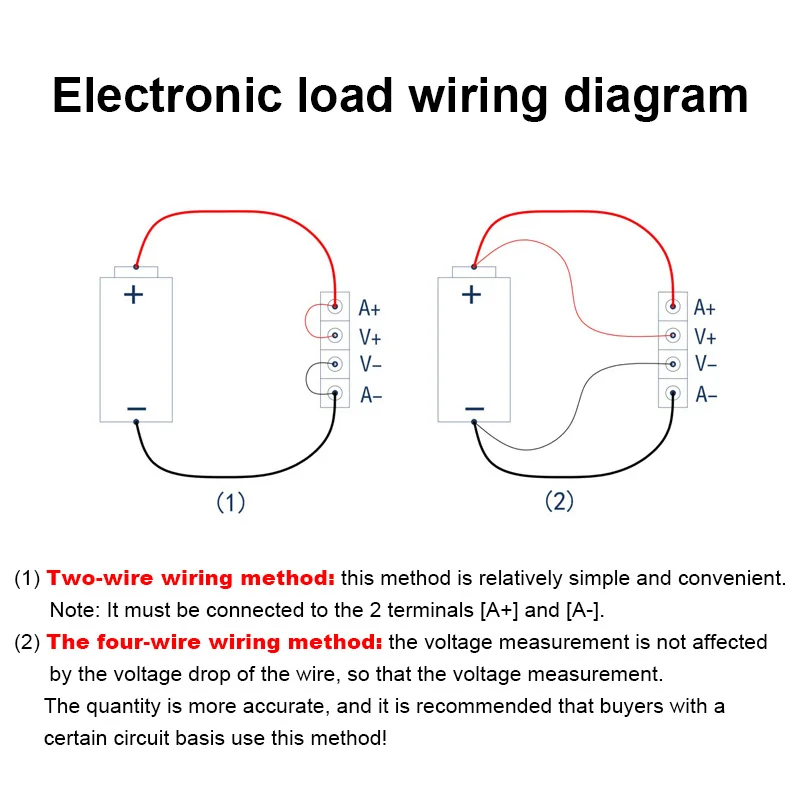
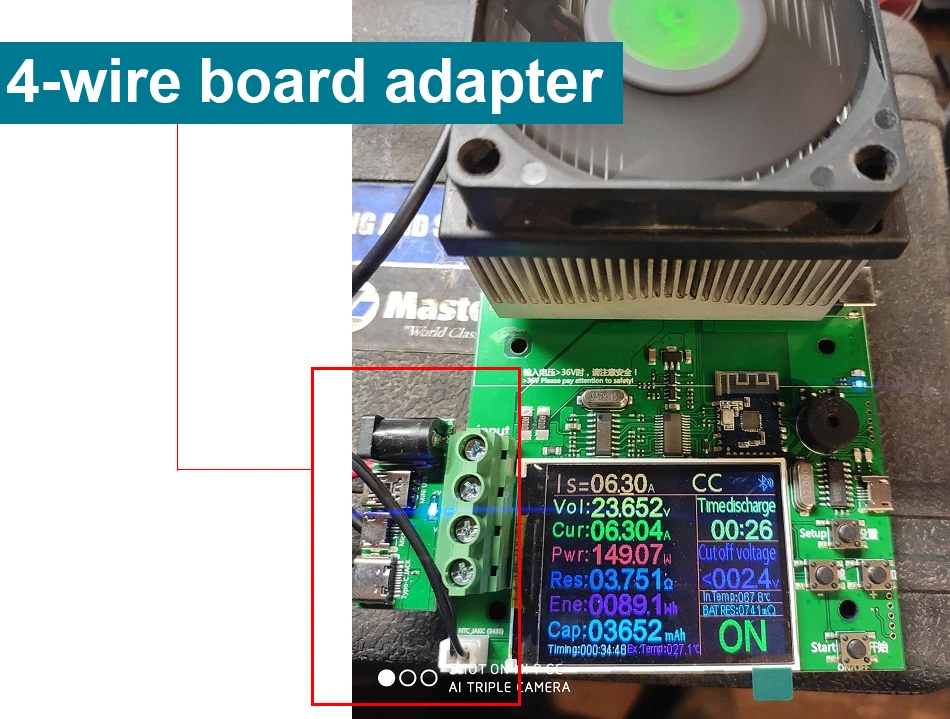
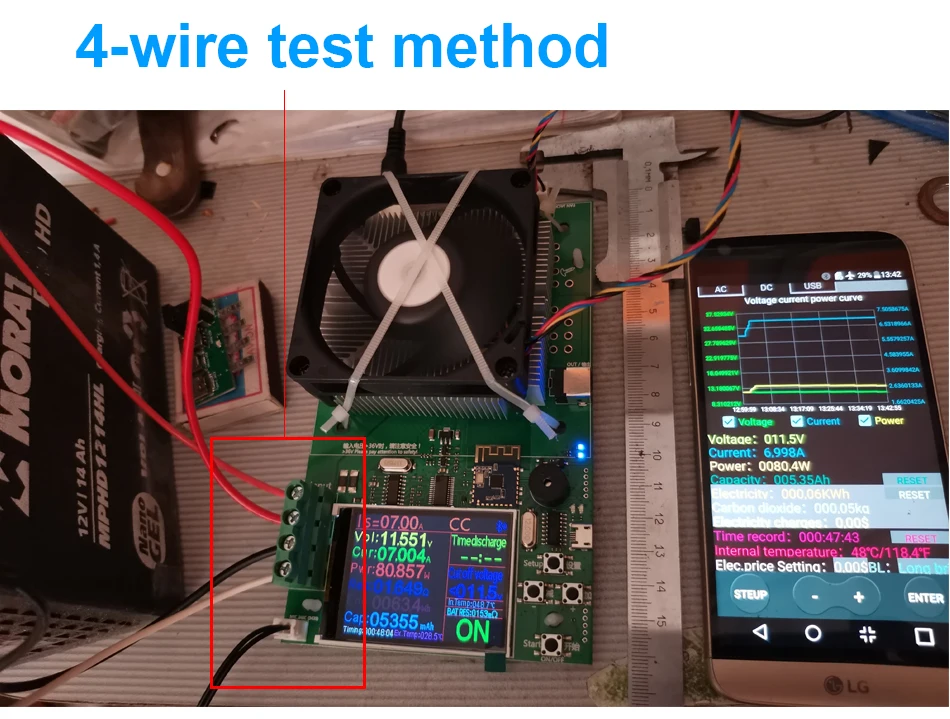
When the voltage is below 3V and the maximum current is 20A, it is 60W. Please test using a four wire connection method
When the voltage is 7.5V, the current is 20A, which is 150W
When the voltage is 9V, the current is 20A, which is 180W
Please calculate according to the formula P=U * I
===Warm Tips===
This product needs to be installed and tested by professionals. If you can't install it, please don't buy this product!
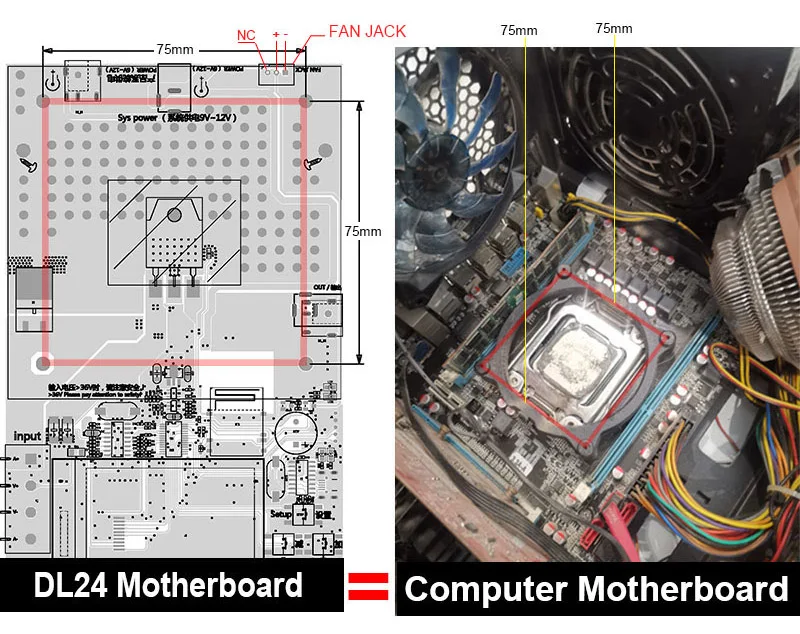
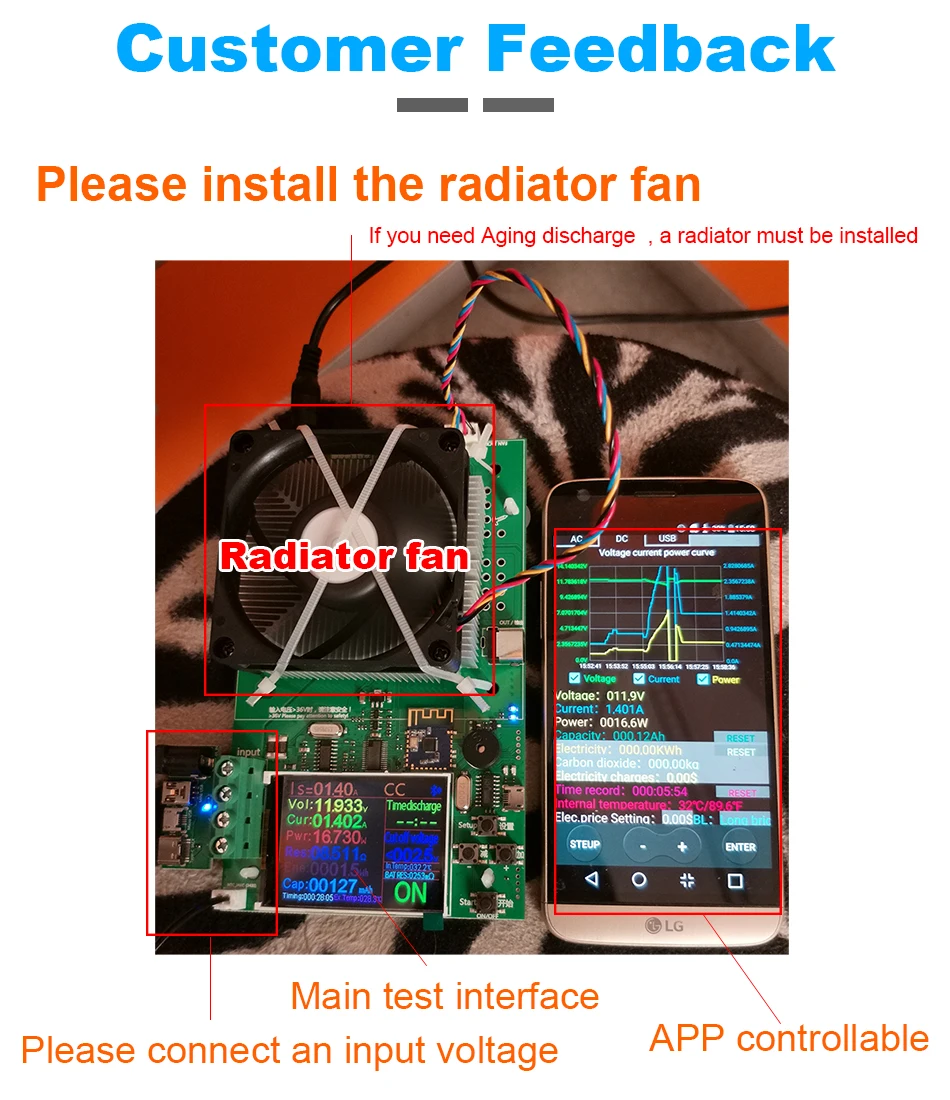
Please purchase a 75X75MM fan according to the requirements, install it and test it again. If you find that the fan is not installed, then the test is damaged. Our store is not responsible for after-sales.
Warm Prompt Tips
1.This product is for the convenience of guests DIY, does not include the radiator, please purchase carefully
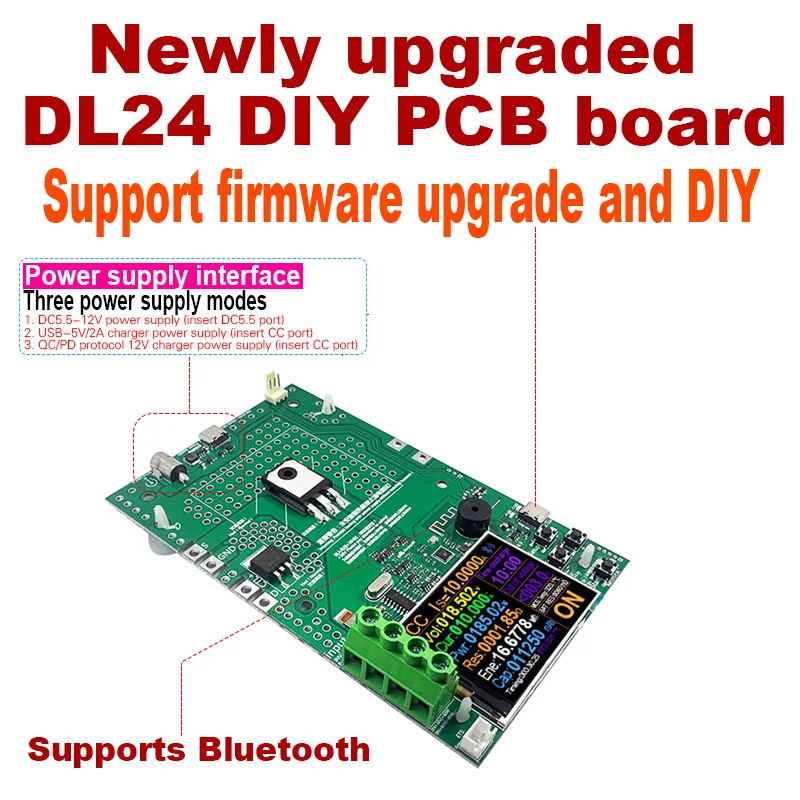
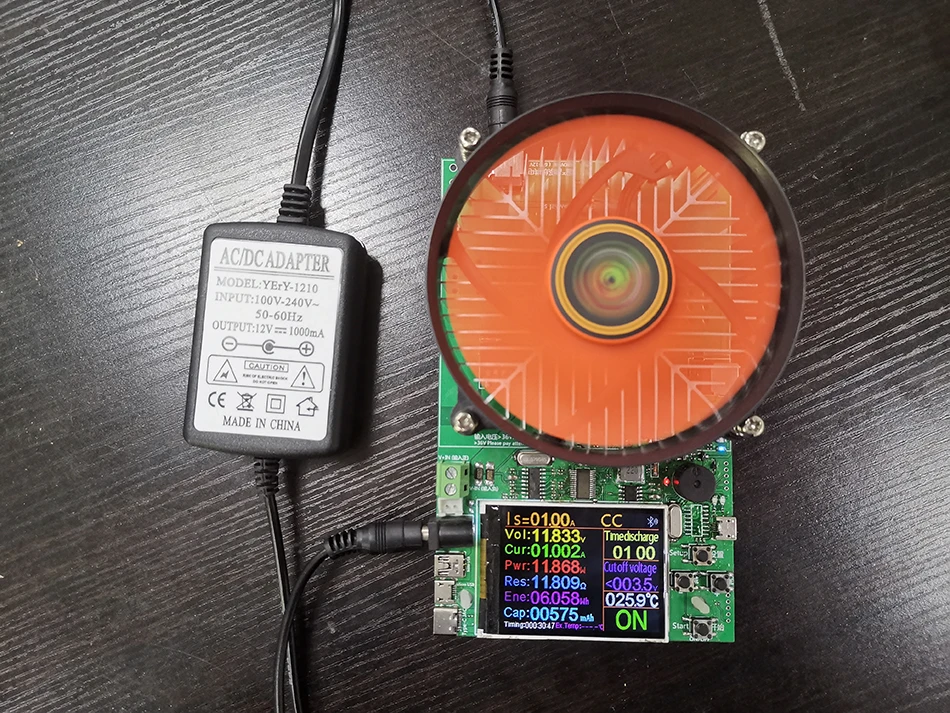
2.Excluding DC12V power adapter, can provide 2 power supply modes
1). DC12V 5.5mm power adapter supplies power to the product
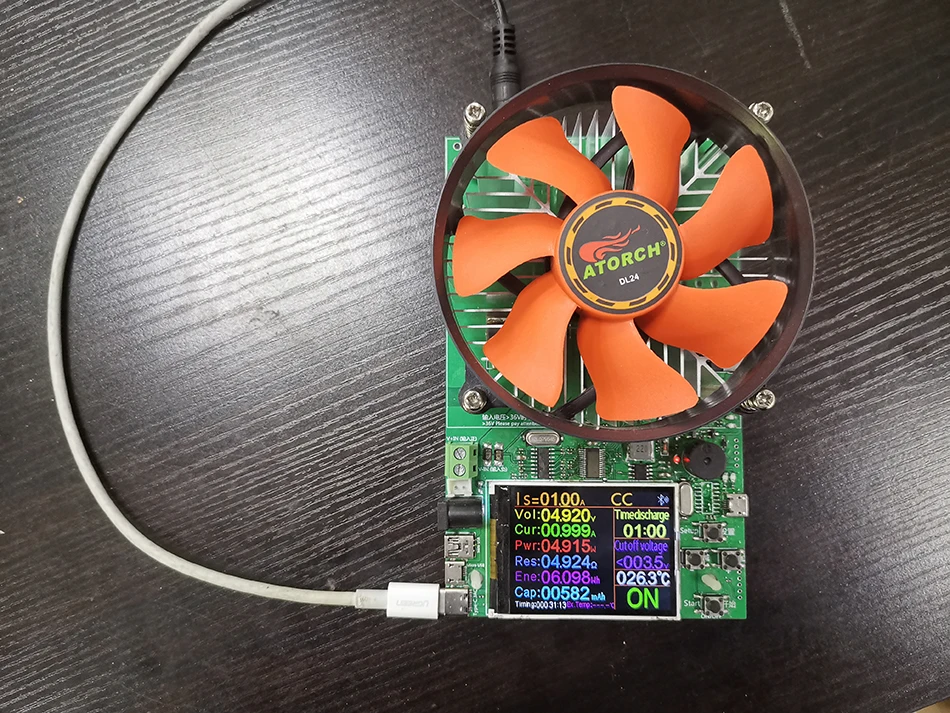
2).You can also use a PD charger or a QC USB DC5V 2A charger to power the product
Thank you very much for your order, you will receive our PCB board
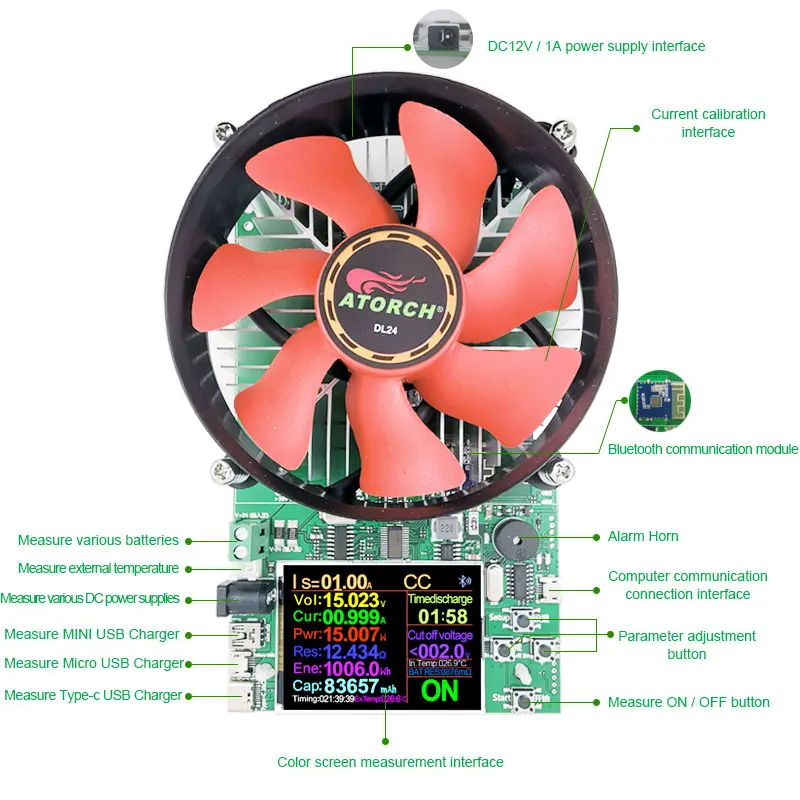
Please read the following interface data carefully for installation
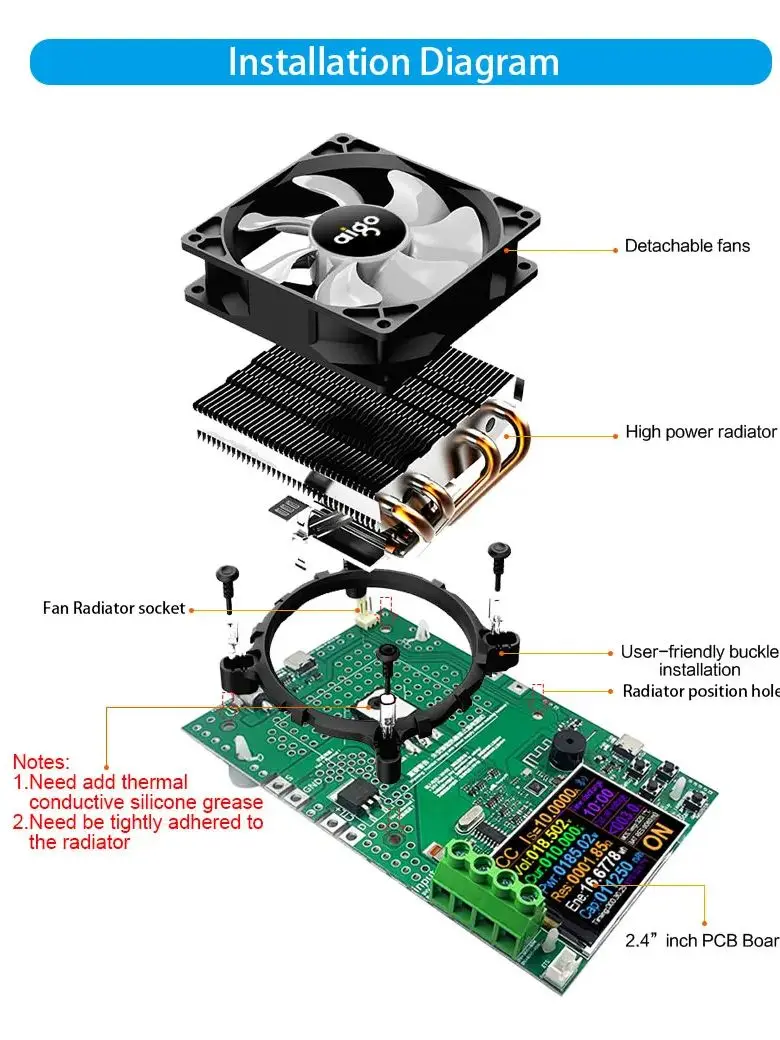
Installation radiator Diagram
Installing the radiator is very simple, as long as you prepare the computer CPU fan, install all the accessories according to the schematic diagram, especially note that the discharge tube needs to be coated with thermal conductive glue, please rest assured, we have the configuration, you will successfully install
Compatible with 99% of Computer CPU Fans on the Market
As long as you have discarded computer CPU fans in your home, they are all radiator fans that can be found everywhere. They can all be installed on our PCB boards and become a finished product!
Radiator fan installation size
The size of the radiator fan installed in our product is the same as the size of the computer CPU radiator fan!
Our PCB board default assembly fan is 150W or 180W
Please purchase or install the CPU fan yourself, you can use it!
If you have strong hands-on ability, you can DIY set up 1000W products, you need a powerful radiator fan!
If you need DIY 1000W, you need to meet 3 conditions
1. Need to add as:IRFP260N (150W) discharge tube
2. Need to add a powerful radiator (support 1000W)
3. Need strong modification ability!
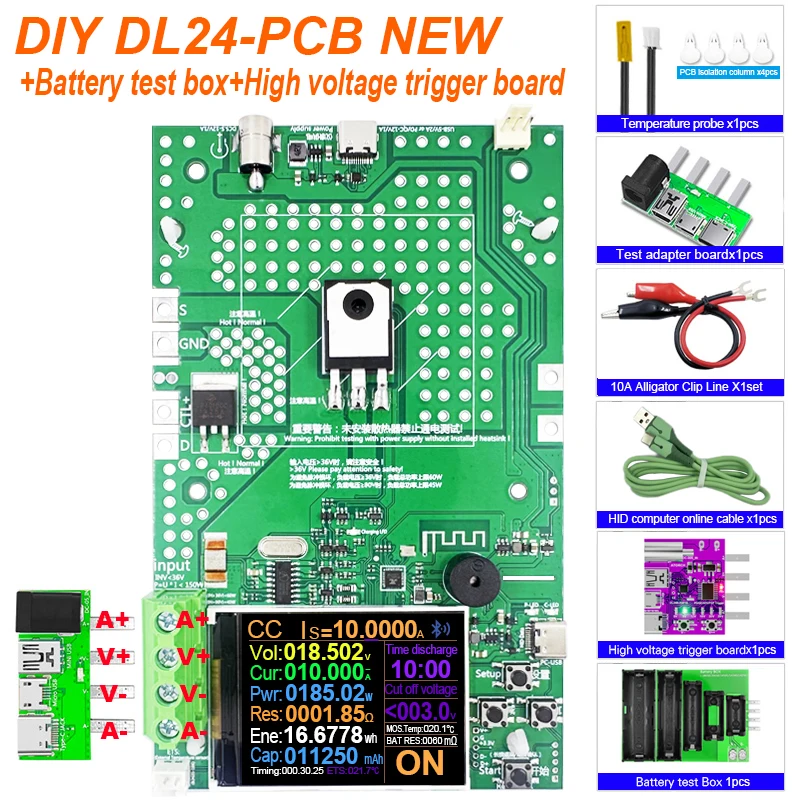
Product List1
1.DL24 PCB Board(Not include radiator ) x1pcs
2.1M PC computer online line x1pcs
3.Temperature probe x1pcs
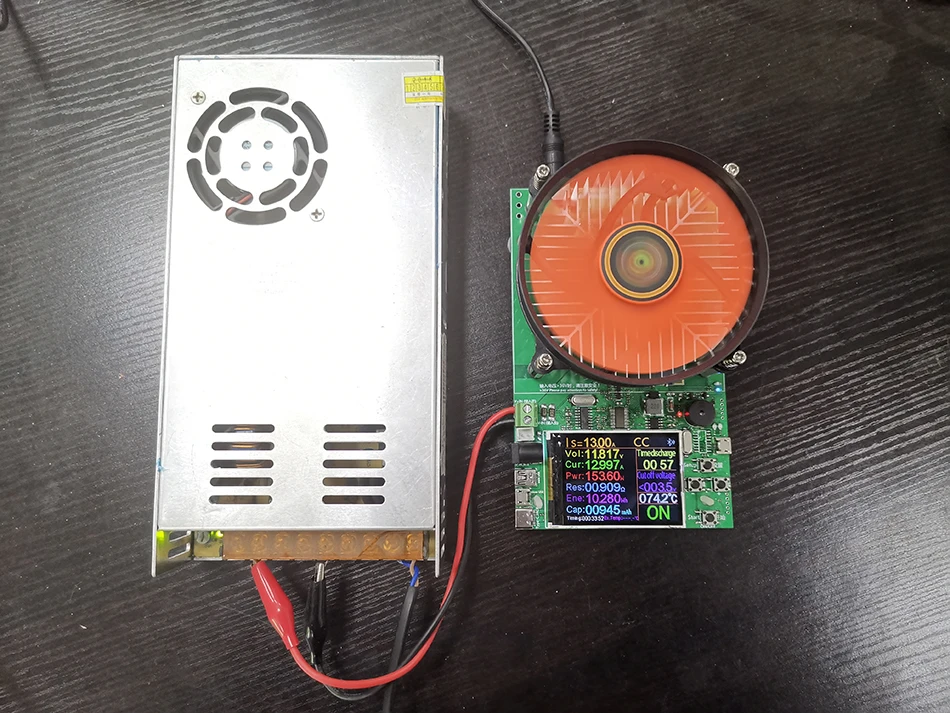
4.Red and black single line crocodile clip line x 1set
5.PCB isolation column X4pcs
6.Adapter test board X1pcs
Notes:DC12V power adapter not included
Product List 2
1.DL24 PCB Board(Not include radiator ) x1pcs
2.1M PC computer online line x1pcs
3.Temperature probe x1pcs
4.Red and black single line crocodile clip line x 1set
5.PCB isolation column X4pcs
6.Adapter test board X1pcs
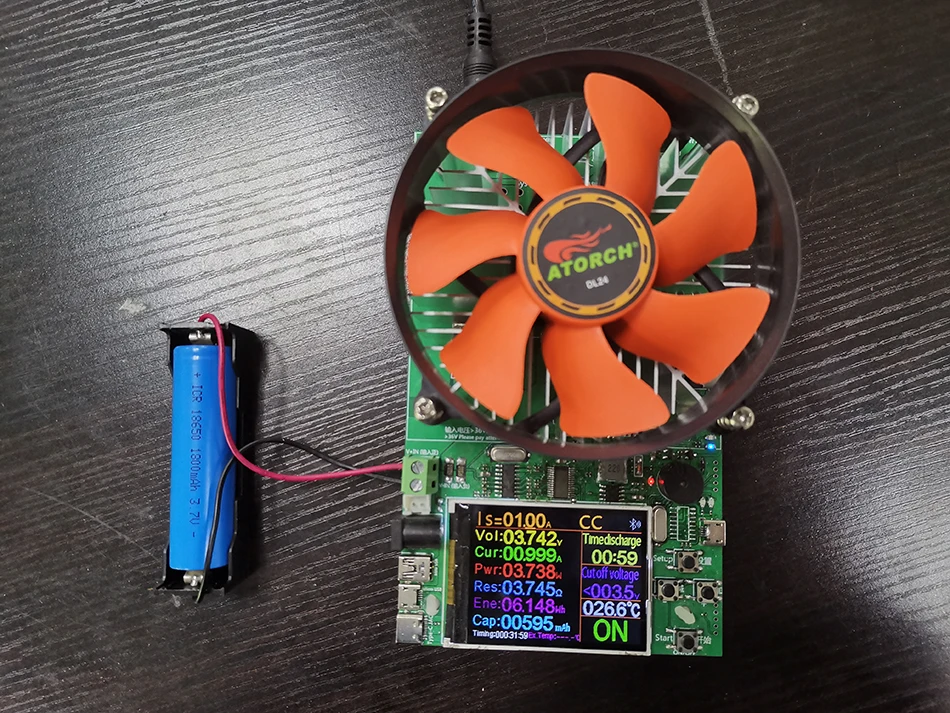
7.18650 battery test box X1pcs
Notes:DC12V power adapter not included
Product List 3
1.DL24 PCB Board(Not include radiator ) x1pcs
2.1M PC computer online line x1pcs
3.Temperature probe x1pcs
4.Red and black single line crocodile clip line x 1set
5.PCB isolation column X4pcs
6.Adapter test board X1pcs
7.18650 battery test box X1pcs
8.High voltage test trigger board x1pcs
Notes:DC12V power adapter not included
After installing the radiator fan successfully, you will refer to the following instructions for application
File Download Way
1, User manual, PC software installation instruction and PC software and Android APP download link : http://www.mediafire.com/folder/m09i9bjv8703d/DL24-DL24P
2, IOS APP: search E_test on iphone APP store to download
3. Android APP: search E-test at Google play to down load
--Product Parameter--
Electrical parameters
Test voltage:2~200V
Working current:0.2~20A
DL24 Discharge power: voltage * current < 150 W
DL24P Discharge power: voltage * current < 180 W
(The actual running current is limited by the maximum power, please adjust the current according to the law of energy conservation)
The built-in over-current, over-temperature, over-power safety protection functions, if the protection interface is popped up, please pay attention to the parameter adjustment, shall adjust to the maximum power, and then discharge, you can first slowly and smoothly adjust the preset value in the start and discharge, in order to adjust up to the maximum power for discharging
Four operating modes of operation
1.Constant current operation(CC)
2.Constant resistance operation(CR)
3. Constant power operation(CP)
4. Constant voltage operation(CV)
Protection
1.Overload protection
2.Overcurrent protection
3. High temperature protection
Device background settings (Chinese / English settings)
1.Chinese settings
2.English settings
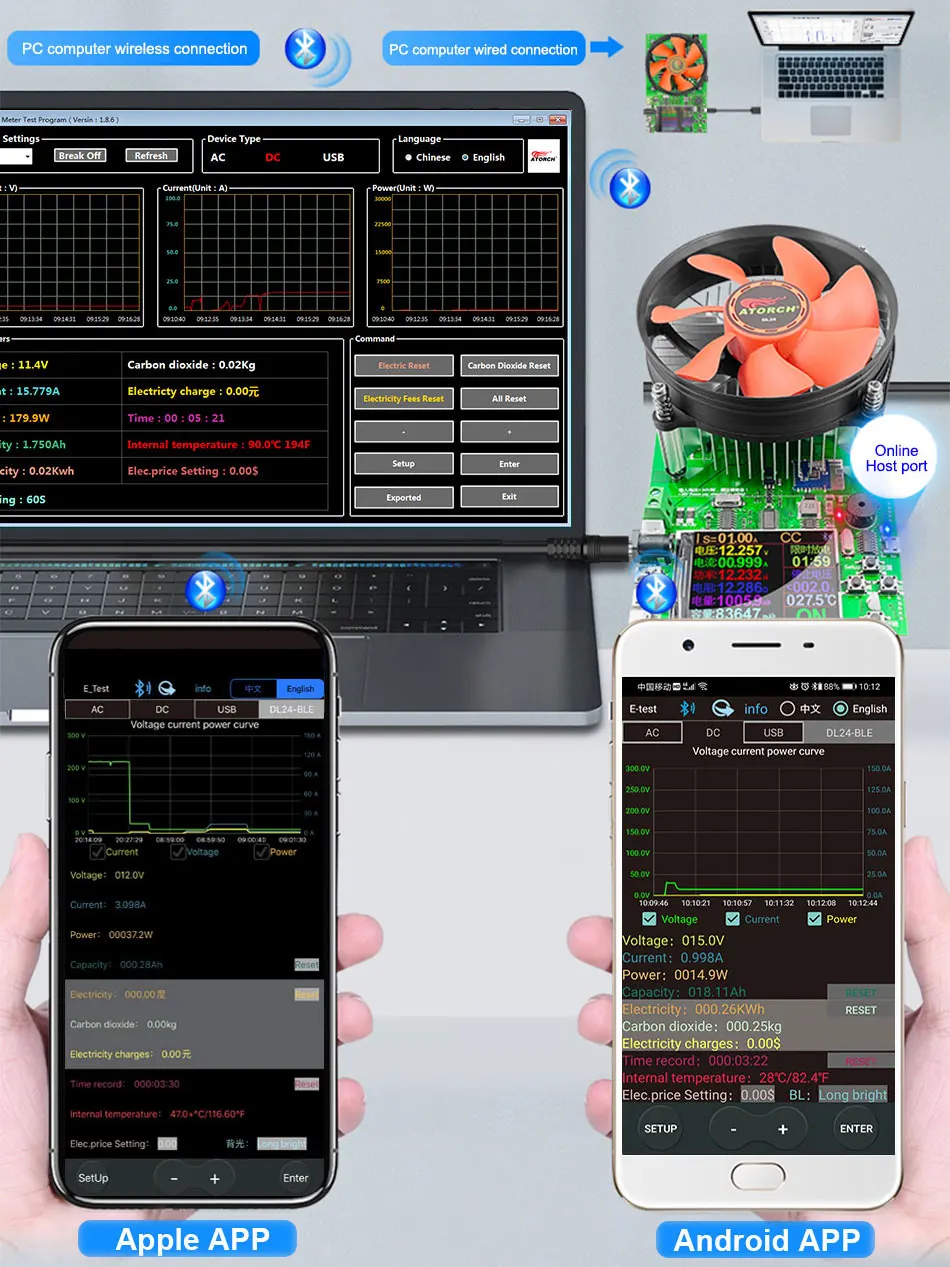
1) Apple Mobile APP:
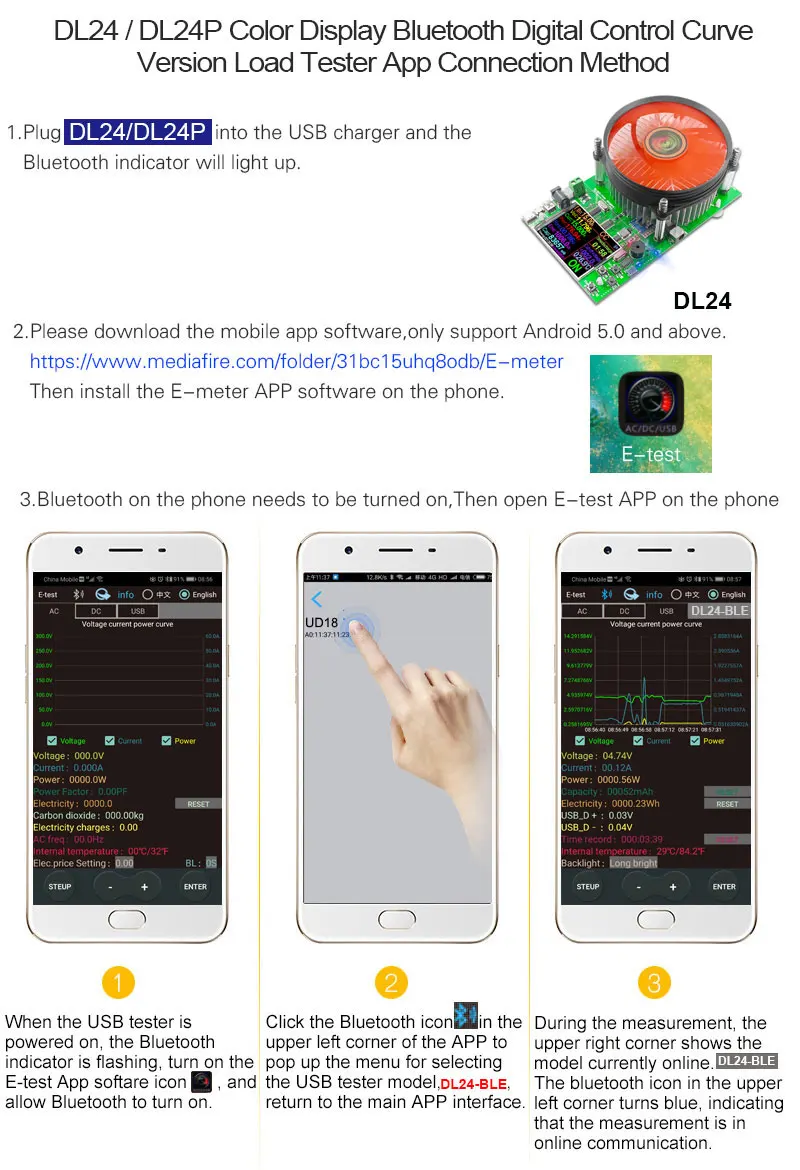
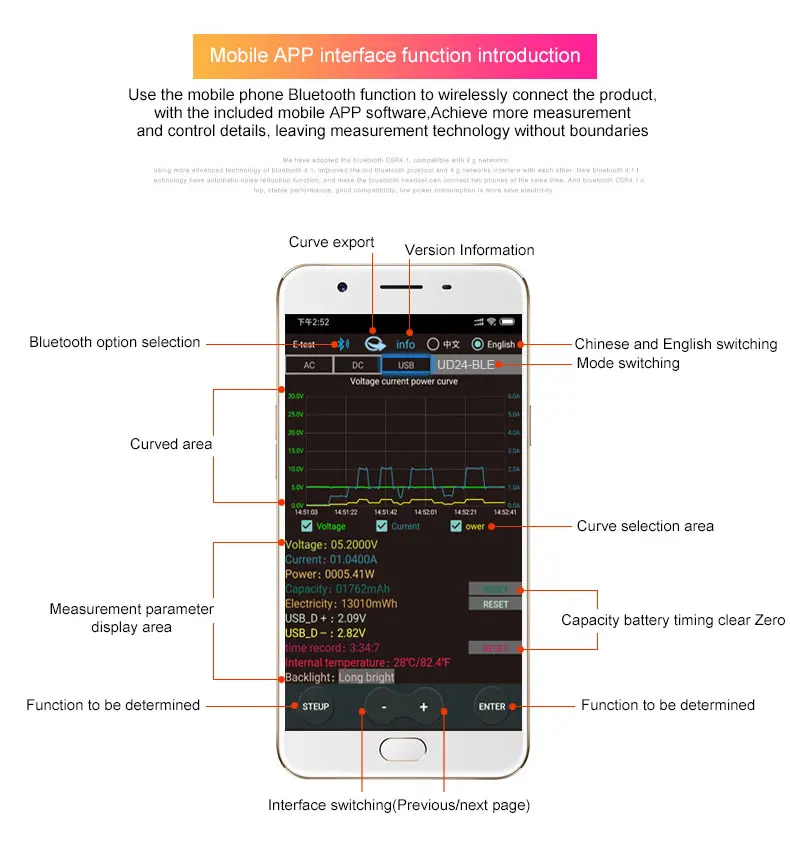
Please search for E_test in the application store to download and install, then click the Bluetooth APP icon to open the software, and then click the Bluetooth icon above the software to enter the selection DL24-BLE to connect, you can achieve mobile phone remote wireless remote control settings and Measurement function, the discharge status can be viewed at any time on the mobile phone, various data cleaning is visible, the voltage and current power curve of the discharge, etc.
2) Android phone APP:
Scan the QR code on the back of the host to download the corresponding APP software or Android APP: search E-test at Google play to down load . After the installation is complete, open the software and click the Bluetooth icon to enter the direct selection of DL24-BLE to successfully use it online. (No need for Bluetooth pairing, the software Bluetooth icon directly selects DL24. can)
3) Computer wired online APP:
After the host is powered on, connect the USB port of the computer with the provided data cable, and then install the CH340 serial port driver, then scan the QR code on the back of the host to download the corresponding APP software. After the installation is complete, select the software you just installed and add The serial port model can be successfully used online, of course, this APP style using the installation method is also compatible with the serial port device of the Bluetooth device!
4) Computer Bluetooth wireless online APP:
First add the Bluetooth device to the serial port device of DL24-SPP on the computer, then scan the QR code on the back of the host to download the corresponding APP software and store it. Open the software without installing and select the Bluetooth serial port model just added. You can successfully use online
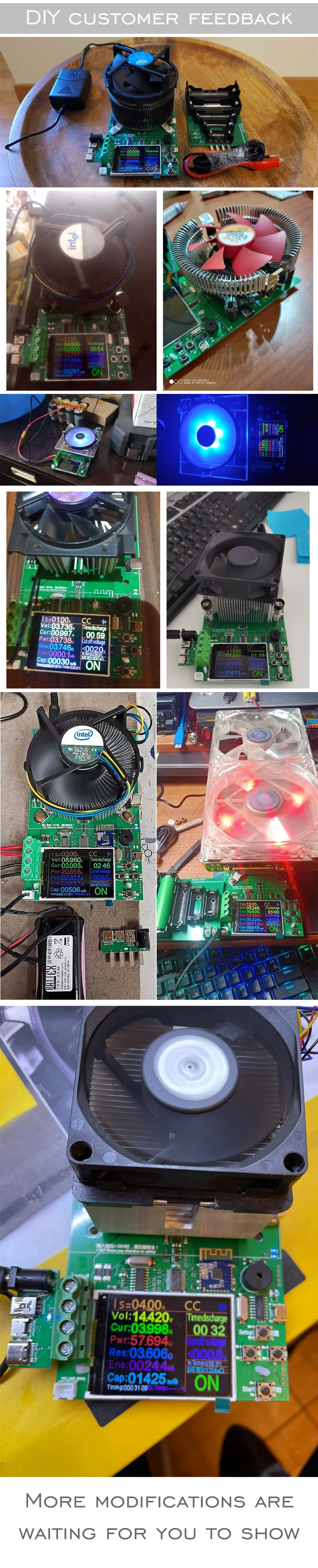
Users to share
After the user use pictures of feedback